New calibration will not save: Invalid column name ‘IsUseStandBHAge’
- This topic has 2 replies, 2 voices, and was last updated 4 years, 2 months ago by
 .
.
- You must be logged in to reply to this topic.
 Rich Howard.
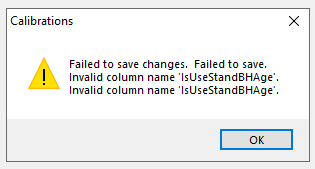
When I create a new calibration and attempt to change any setting, an error splash screen pops up that says "Failed to save changes. Failed to save. Invalid column name 'IsUseStandBHAge'. Invalid column name 'IsUseStandBHAge'."
Version: Assisi Forest 2022.1.5
@Rich Howard,Not sure if you fixed this, but in 2022.3.6, a new but similar error now pops up when trying to create a brand-new calibration. Seems like required field rules are being violated because there isn't a default value?

Boolean fields are now required throughout Assisi. But… they should all have defaults set in the database. IsSegmentToScale SQL Server default should be 1 as in true.
Can you do a design check? It should catch that IsSegmentToScale default is not set. If not, check the default for Calibrations.IsSegmentToScale directly in SSMS.