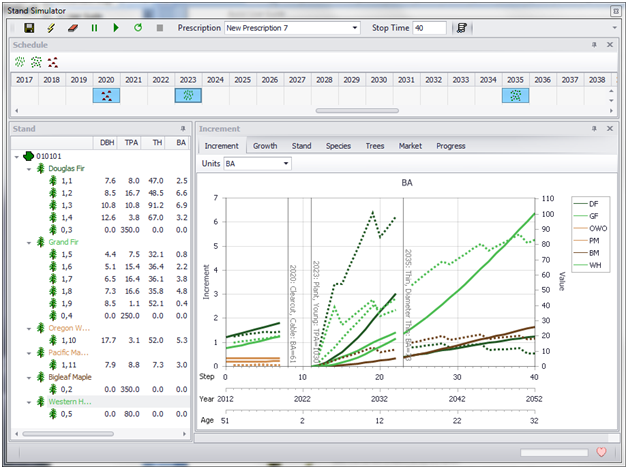
Assisi AI: The Assisi Forest Expert
Assisi, as capable as it is, requires its own level of expertise. Now there is an expert built right into Assisi!
Assisi Forest is designed to make forest planning organized and easier. But forest inventory and planning are complex. Compiling forest surveys, projecting growth and creating plans involve understanding an organization’s own standards, using growth models and implementing silvicultural standards.
Introducing Assisi AI
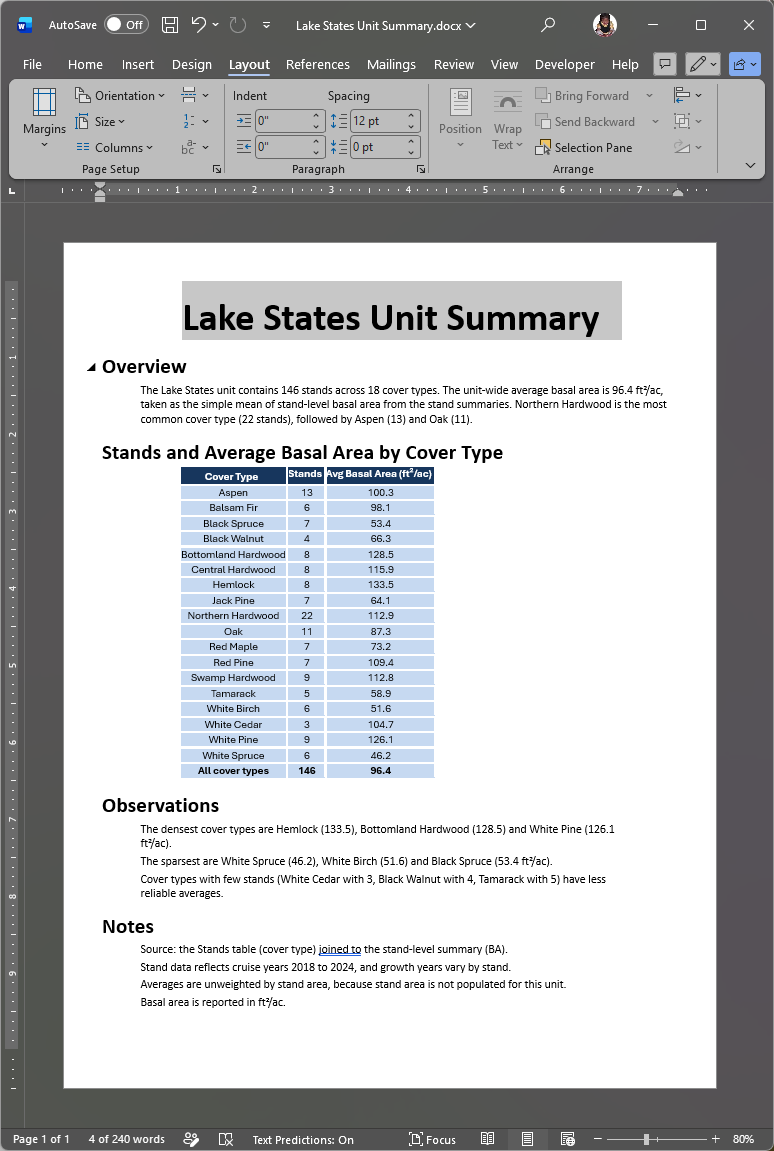
Assisi AI is an assistant built into Assisi Forest based on Anthropic’s Claude models (Anthropic 2026). Assisi AI has access to three sources: the forest database to which Assisi is connected, the Assisi programming interface, and the documents that an organization has loaded into it. Simply have a conversation with Assisi AI, and it will look up answers, run Assisi and write scripts for recurring jobs. Assisi AI will also document its work as formatted Word documents.
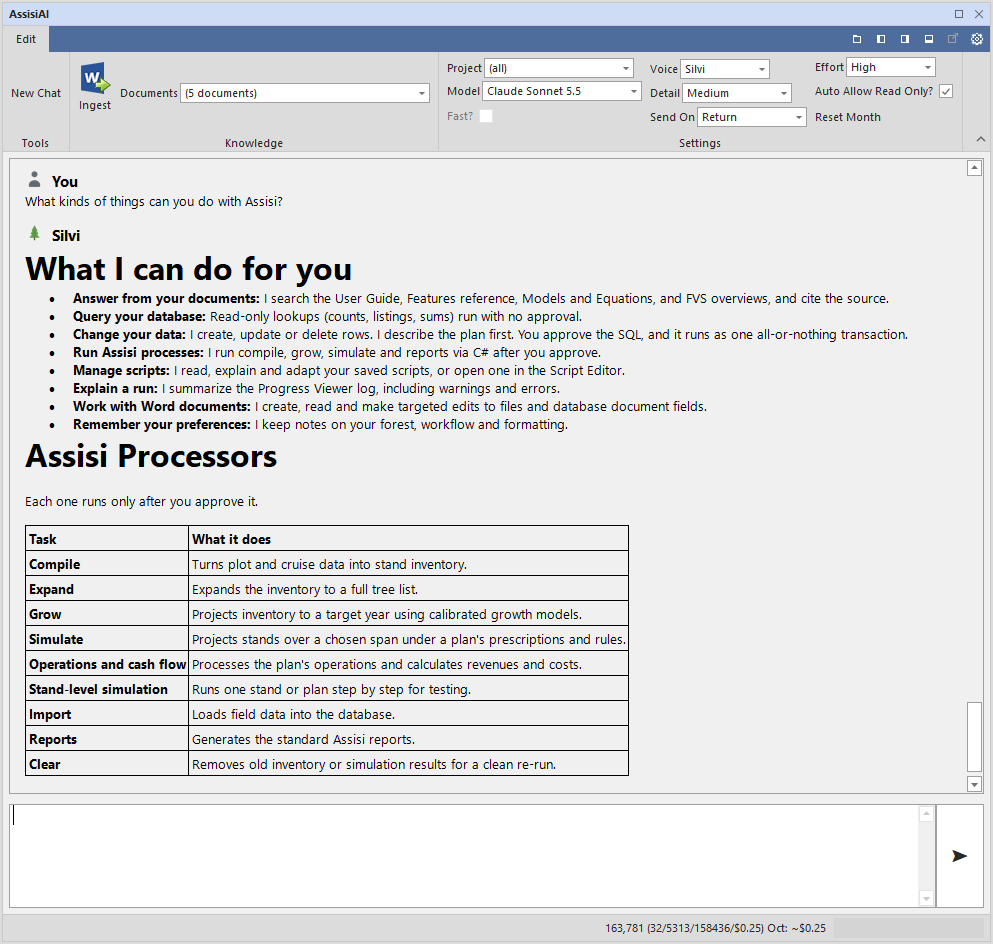
What Assisi AI Does
Assisi AI Answers Questions
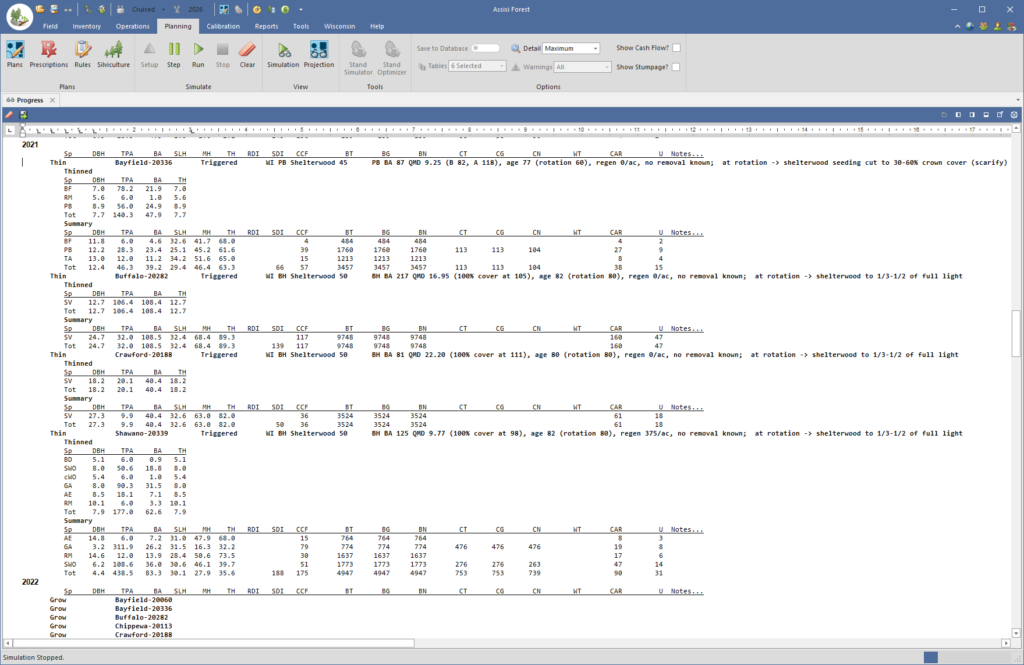
Assisi AI answers a question by querying the Assisi database directly, reading the Progress Viewer log from the most recent run, searching the documents loaded into it, and consulting the reference for the Assisi programming interface.
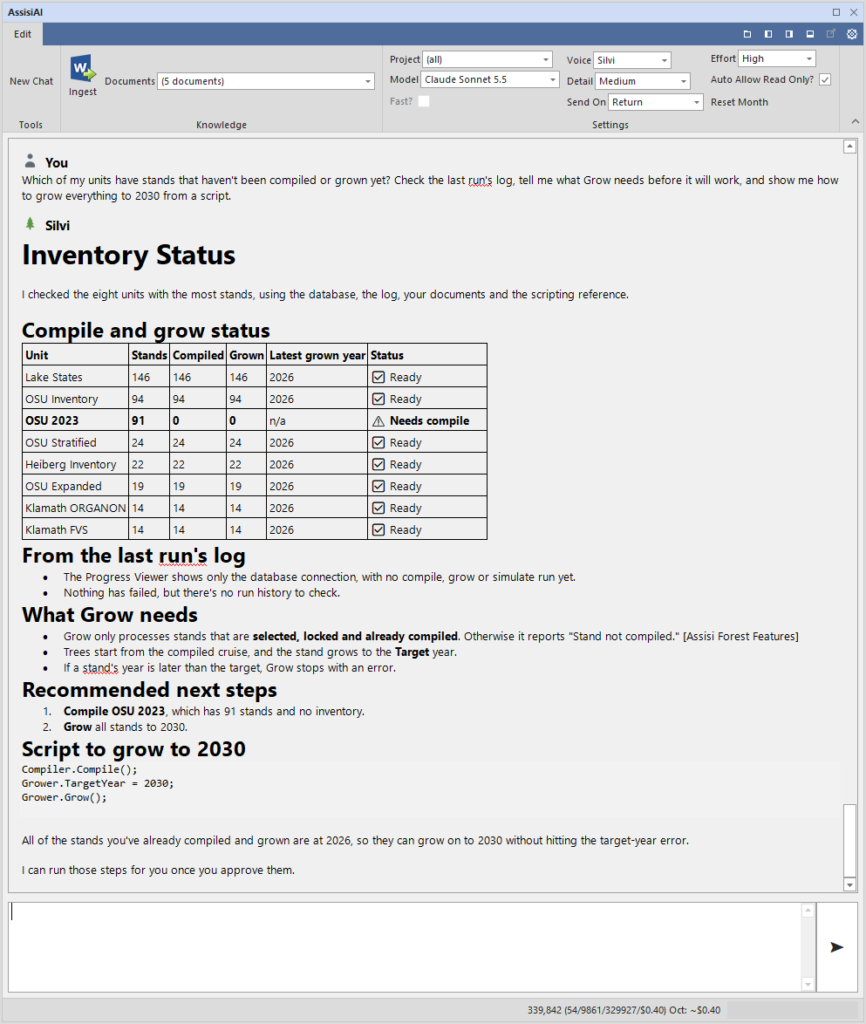
Assisi AI Runs Assisi
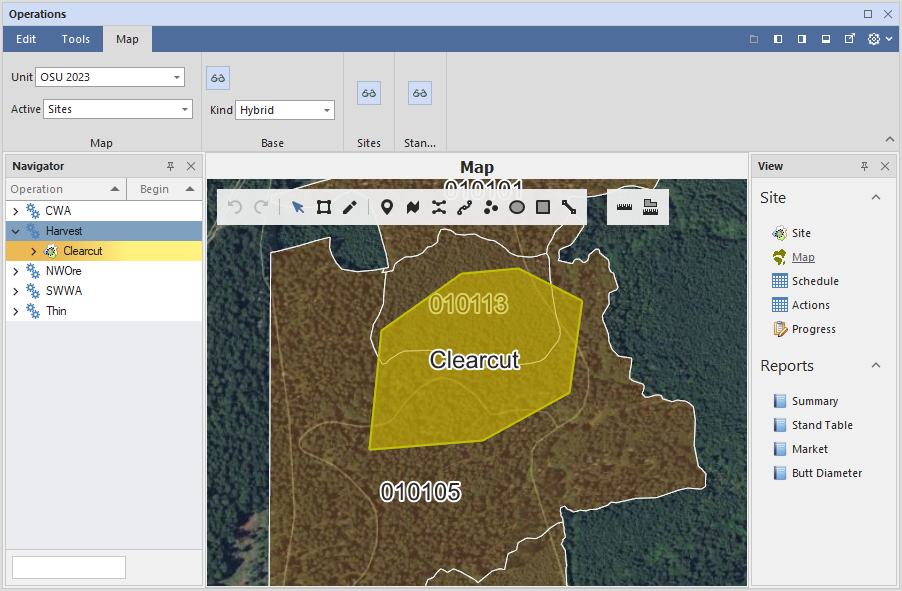
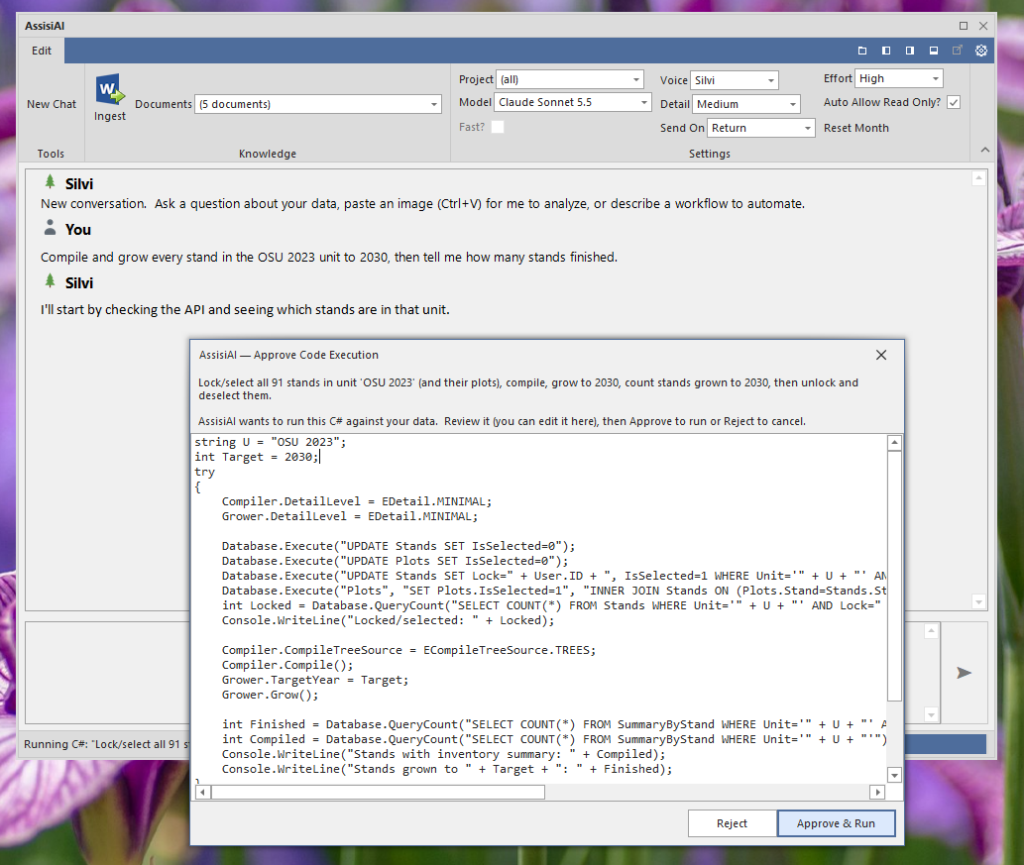
Assisi AI runs Assisi itself, compiling inventory, growing stands, running simulations and producing reports, by writing and running the same C# that the Assisi scripting interface uses. The code is shown in an approval dialog before it runs, where it can be read, edited, approved or rejected. Changes to data follow the same path. The AI proposes a change, the user approves it, and the change is applied as a single all-or-nothing transaction. SQL that would change the database design is refused; such work requires C# code, which is approved like any other.
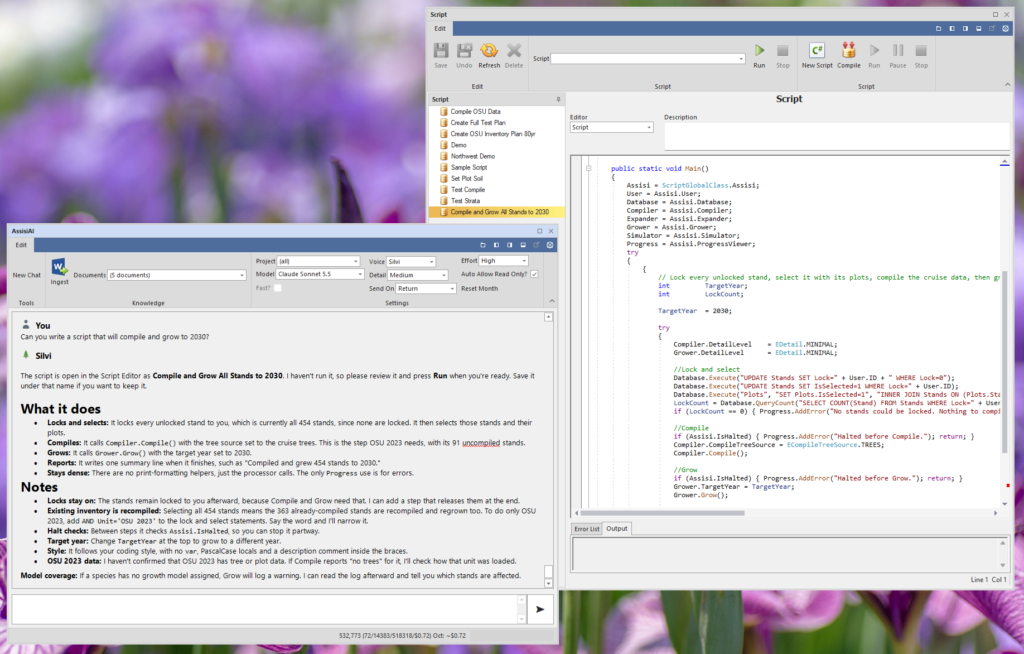
Assisi AI Creates Scripts
A job that recurs can be written as a script. Assisi AI writes the C# script directly into the Script Editor, where it can be reviewed, named, saved and run again. Assisi AI also reads existing scripts, so that it can explain a script, extend it, or follow an organization’s own conventions in a new one.
Assisi AI Creates Documents
Assisi AI writes results as a formatted Word document in the Assisi document styles, with headings and tables. The document is saved as a file or stored in the document field of a stand, plan, prescription, calibration, rule or other record, so that the write-up stays with the data it describes. An existing document can also be updated section by section, with that document’s own styles kept.
Assisi AI Knows Your Organization
Assisi AI keeps a memory in the forest database: preferences, how the organization does things, facts about the forest and useful references. The memory is shared by everyone who works in that database. Work can be grouped into a Project, which keeps that project’s context together. An organization that reports volume in MBF by species group states it once, and the AI keeps to it.
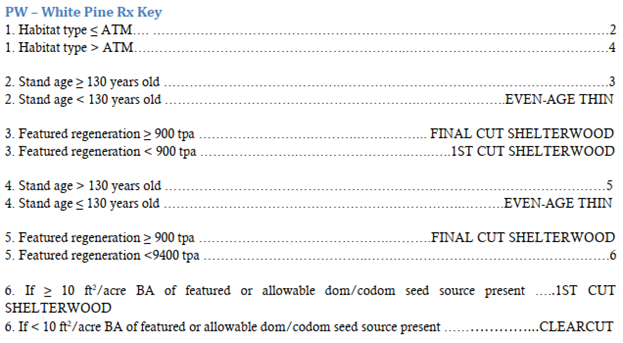
Assisi AI also searches and cites the documents on which an organization’s work depends, such as forest management plans, state regulations and best-management-practice guides, silviculture guides, cruise specifications and research papers, once they are loaded into it.
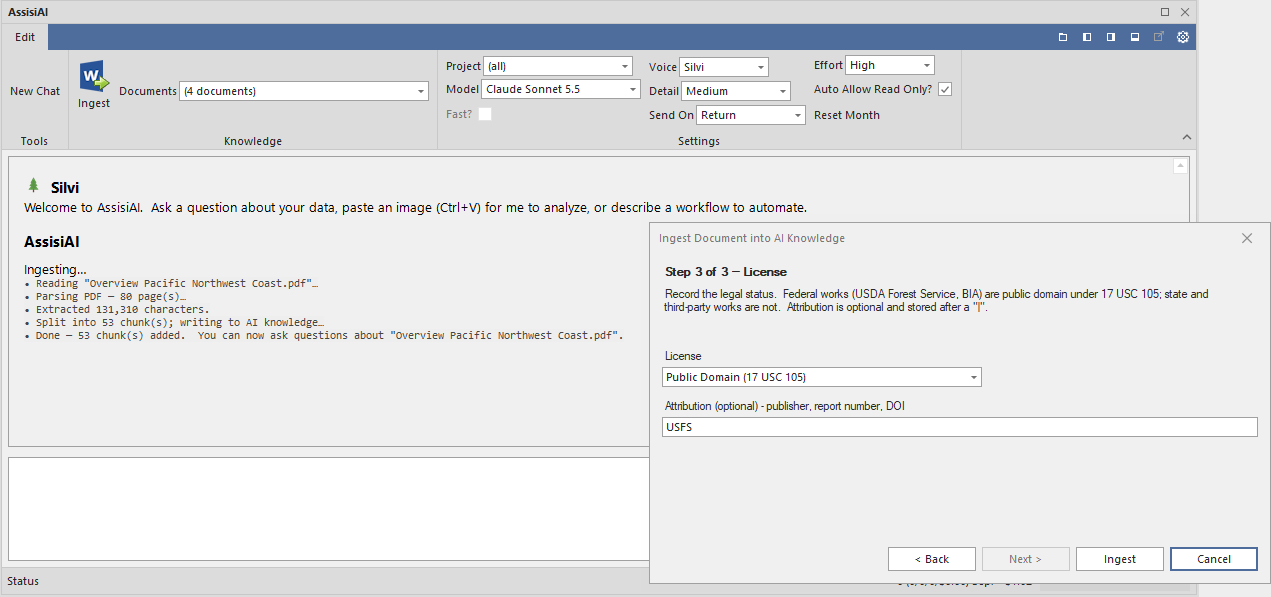
- Knowledge ▸ Ingest. A three-step wizard: choose the file, give it a title, and record its license.
- File types. PDF, Word (.docx and .doc), RTF, plain text (.txt) and Markdown. A scanned PDF without a text layer requires OCR first.
- New editions. An edition ingested under an existing title replaces the earlier one.
- Storage. Documents are stored in the organization’s own Assisi forest database, not on Assisi’s servers, and are searched with SQL Server full-text search where it is installed.
- Memory packs. Standing instructions, such as a coding style or report conventions, can be given to Assisi AI as Markdown files in the Samples folder.
Note: Only documents that the organization has the right to use should be loaded. The license step records that right: federal works such as USDA Forest Service publications are in the public domain, whereas state and third-party documents usually are not, and Assisi AI records which is which.
Each user also has a profile, which Assisi AI builds from its exchanges with that user. Assisi AI tailors responses to a user’s inferred knowledge of forestry, statistics and Assisi itself along with a user’s preferences for units, terminology and level of detail wanted. The profile is read with every question, so that the depth and terminology of each answer suit the person asking.
Assisi AI Prompts for Approval
Assisi AI asks for approval before any action that changes the forest database. Running C# code, applying an SQL change and writing a Word document into the document field of a record each open an approval dialog, which states what the action will do and shows the code or SQL in full. The code can be edited in the dialog before it runs, and nothing is changed until Approve & Run is pressed; Reject cancels the action. An SQL change is applied as a single transaction, so that it is either completed in full or not applied at all. The Auto Allow Read Only? option, checked by default, pre-approves all read-only actions, and a script that Assisi AI writes into the Script Editor is not run until the user runs it. Approval is requested only at the points where data would change, which are the points at which a forester would review the work in any case.
Assisi AI Options
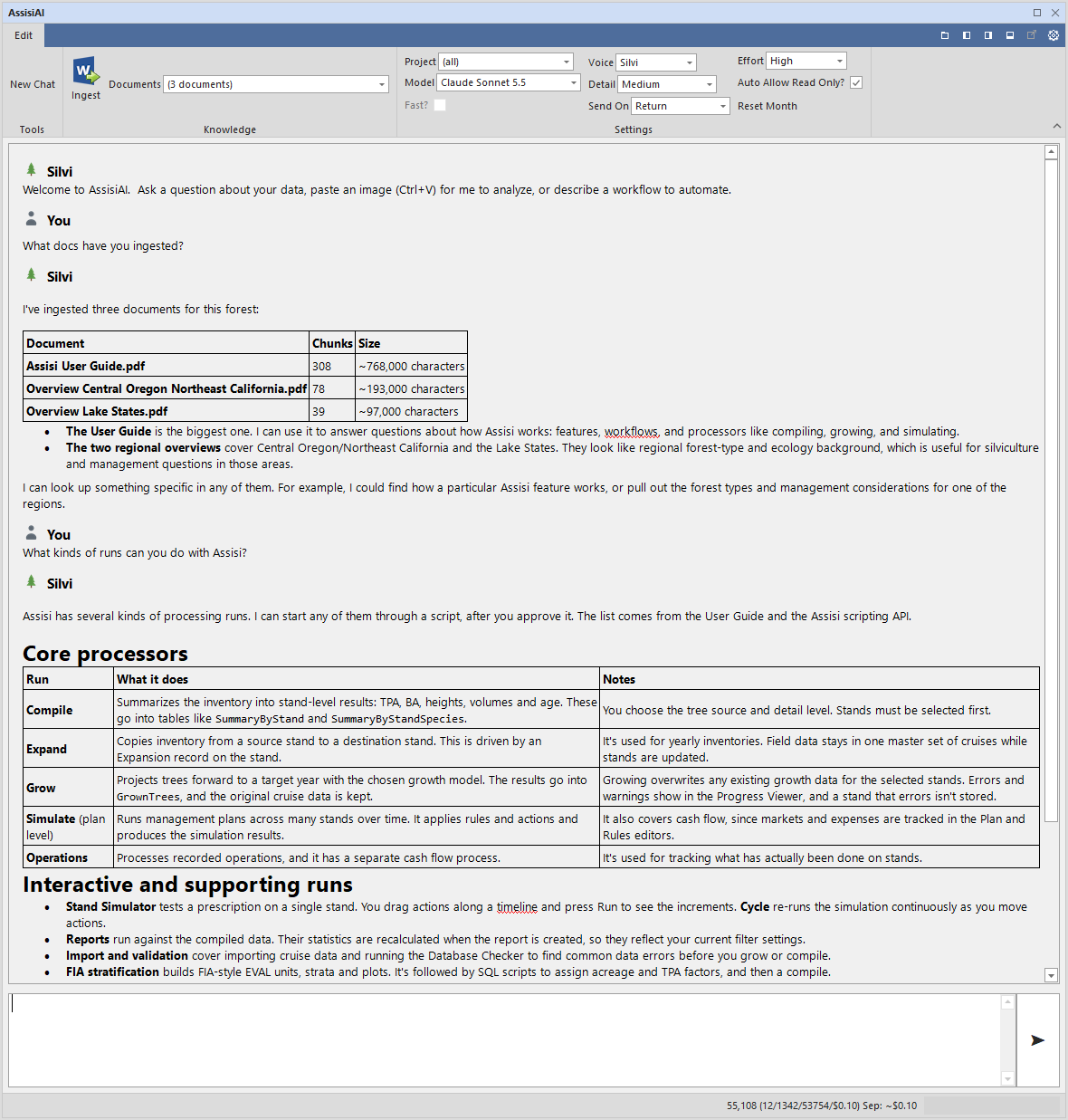
Assisi AI is configured from its own ribbon:
- Model. Selects the Claude model that answers. Haiku is the fastest and least expensive, for simple questions; Sonnet balances speed and quality for everyday work; Opus is the most capable for complex reasoning and multi-step work; and Fable is the most capable of all, at premium pricing. The list shows the latest version of each model and is retrieved from Anthropic, so that new versions appear without an update to Assisi.
- Effort. Sets how much reasoning the model applies to each question, in five levels: Low, Medium, High, X-High and Max. Higher effort answers difficult questions more reliably, although it costs more and takes longer. High is Anthropic’s own default; Low suits quick, simple questions, and X-High or Max suits difficult analysis and scripting.
- Fast? Runs the selected model at a higher output speed, at premium pricing. It applies to Opus models and is unavailable for Sonnet and Haiku.
- Detail. Sets how much Assisi AI writes and how much of its work it shows. Summary gives only the answer, Minimal adds brief context, Medium adds the reasoning, and Maximum also lists each action Assisi AI takes in the conversation. A one-line progress readout is shown in the status bar at every level.
- Voice. Sets the tone of the answers: Buck, a plain-spoken logger; Silvi, a resource manager who explains the reasoning behind each decision; Prof, a teacher who defines terms and explains the science; or Assisi, the house voice. The facts, data and actions are the same in every voice.
- Send On. Sets the key that sends a message. With Return, Shift+Return starts a new line; with Ctrl+Return, Return starts a new line, which suits longer, multi-line requests.
- Auto Allow Read Only? When checked, read-only actions such as document searches, lookups and database queries run without an approval prompt. Actions that change data always require approval. When cleared, every action is shown for approval.
- Project. Focuses the memory of Assisi AI on one project within the database. The memory then holds that project’s facts together with those saved for the whole database, and new memories are assigned to the project. A new project is created by typing its name, and Assisi AI can also select the project itself when told what work is under way.
- Documents. Shows how many documents are loaded into the forest database and, when opened, lists their titles. Assisi AI searches these documents whenever a question relates to them.
- New Chat. Starts a new conversation with a cleared transcript. The memory, each user’s profile and the loaded documents are kept.
The Forester’s Role
Assisi AI prepares the work, whereas the professional judgment remains with the forester. Each change to data and each script that it runs is shown to the user first, and a script that it writes is ordinary Assisi C# that can be read, changed and run again. Whether a prescription fits the landowner’s objectives, or whether a result is ready to sign, remains the forester’s decision.
Licensing
Assisi AI is part of Assisi Enterprise, and no separate AI license is required. Writing scripts into the Script Editor requires a Developer license on Assisi Enterprise. Assisi AI uses the organization’s own Anthropic API key, which is entered once under File ▸ Options ▸ Program Options ▸ AI API Key and stored encrypted on the computer, so that Anthropic bills the organization directly for its use. For a demo, please contact Assisi through the contact page.
References
Anthropic. 2026. Models Overview. Claude Developer Platform documentation. San Francisco, CA: Anthropic. Accessed October 9, 2026.